Unique features that guarantee perfect scores with Steinberg
- Escrito por Redacción ISP Music & Producer
- Publicado en ENGLISH
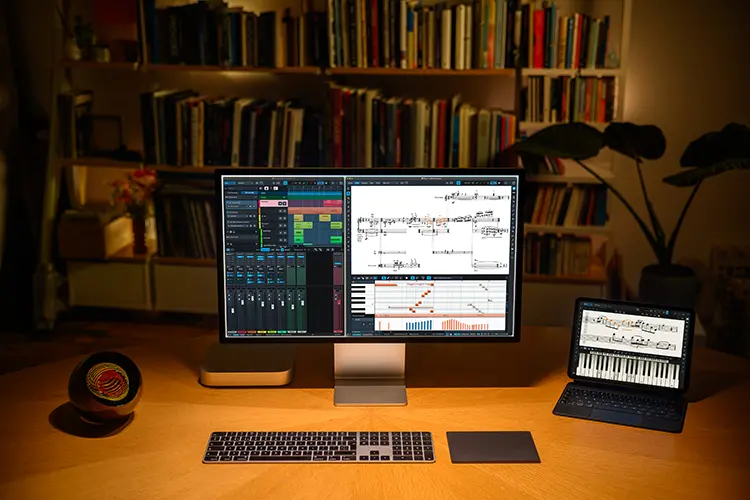
Steinberg announced the immediate availability of Dorico 6, the new generation of its family of composition and music notation software for macOS, Windows, and iPadOS.
Producing beautiful and functional performance materials that any musician can perform without difficulty requires both experience and attention to hundreds of tiny details.
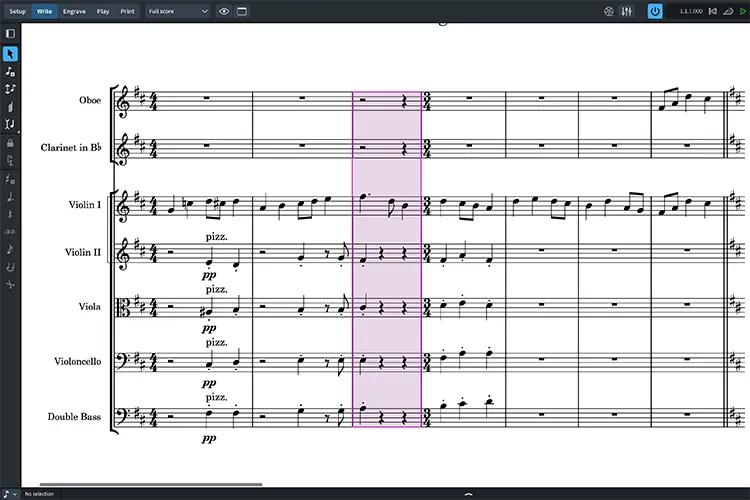
Dorico 6 enhances musicians’ experience and instincts with its new, exclusive Proofreading panel, which automatically scans scores and parts as the user edits and identifies potential issues that could raise questions in rehearsal.
For example, Dorico can detect problems with the metric structure of the music—such as bars that are shorter or longer than the established time signature, or unbalanced repeats that disrupt the pulse. It can flag duplicate markings—for example, telling a violin to play pizzicato and then repeating that instruction later without an intervening change to another technique, like arco—and suggest where additional markings could be added, such as ensuring that each entrance after a long rest carries the appropriate dynamic.
Dorico can also offer practical advice for performance: for instance, for players who switch between different instruments during performance, it can highlight passages where there isn’t enough time to change instruments based on the current tempo. It also detects technical playability issues for fretted and fretless string instruments, including difficult stretches and double stops.
All issues Dorico identifies are listed in the new Proofreading panel, which can be efficiently filtered to focus on specific types of issues, allowing users to jump between them. Engraving capabilities are also greatly expanded in Dorico 6, both in page layout and in notations such as chord symbols.
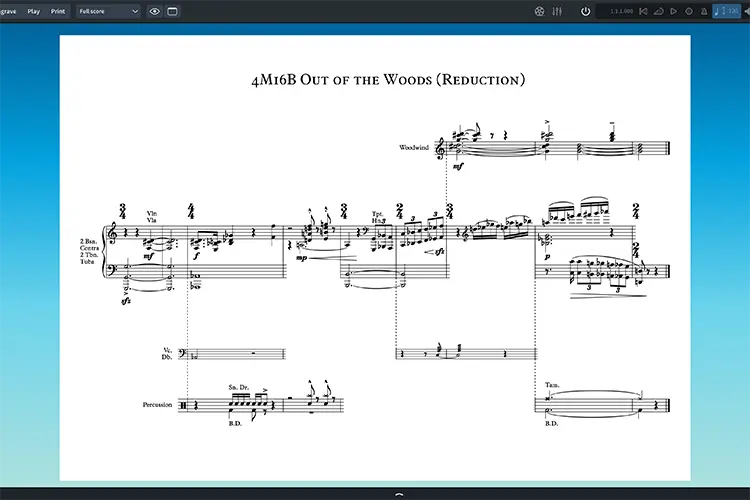
In the mid-20th century many innovations in music notation emerged, including the cutaway score technique, where instead of showing empty bars for resting instruments, their staves remain hidden until they have new music. This layout was pioneered by influential composers like Lutosławski, Berio, and Stravinsky in the 1960s, but has always been very labor-intensive to achieve in notation software. Dorico 6 now allows you to create perfect cutaway scores with a single click, drastically reducing the time required to prepare this type of score while still producing flawless individual parts.
In commercial music, jazz, small ensembles, and bands, chord symbols are vital ingredients for communicating the harmonic structure. Dorico 6 builds on its comprehensive chord symbol support with a range of new possibilities: you can now have multiple rows of chord symbols, making it easy to show alternative sets of changes for reharmonizations or repeated passages; chord symbols can display duration extender lines to illustrate larger harmonic structures—useful in educational settings; and users can create their own custom chord symbol types, precisely defining how they sound and look, unlocking a world of new possibilities.
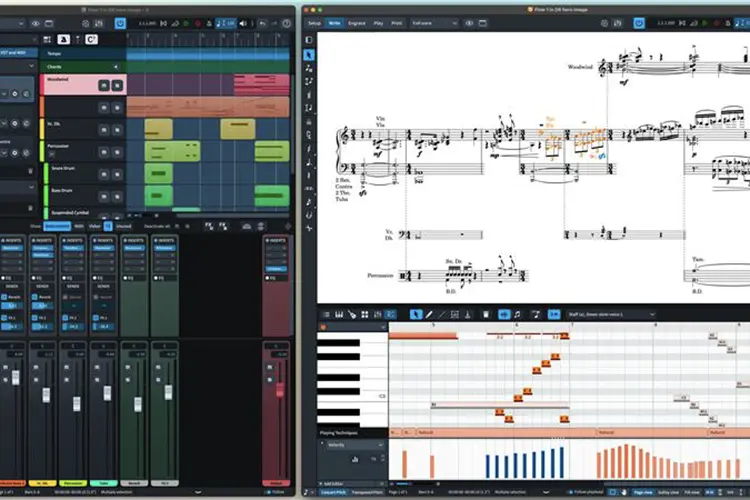
Beyond these highlights, Dorico 6 is packed with other powerful tools to spark greater creativity. Cycle playback lets you loop any section of your score and hear edits in real time. New marching percussion sounds, developed in partnership with Tapspace, makers of Virtual Drumline, are invaluable for band arrangers, adding impactful cymbal, bass drum, tenor drum, and snare samples. Workflow enhancements run throughout the application, including support for advanced OpenType font features, a new Fill View that makes the most efficient use of your screen space, improvements to condensing, MusicXML import and export, new typefaces, and much more.
We like to say that working in Dorico is like having an intelligent assistant by your side. With Dorico 6, that assistant is even smarter, giving you greater confidence that the parts you put on the stand will be played with fewer questions and mistakes, closing the gap between your musical intent and the players’ performance. Together with the expanded engraving capabilities—from cutaways for art music to custom chord symbols for commercial music—Dorico 6 meets the needs of every working musician, commented Daniel Spreadbury, Product Marketing Manager for Dorico.
Availability and pricing
Dorico Pro 6 is available from selected dealers and through the Steinberg Online Shop for €579 or $579.99 USD. Dorico Elements 6 is available from selected dealers and through the Steinberg Online Shop for €99.99 or $99.99 USD. Prices may vary by region.
A range of downloadable updates, crossgrades, and educational versions are available exclusively through the Steinberg Online Shop.
Customers who have activated Dorico Pro 5 or Dorico Elements 5 (or earlier versions) since March 26, 2025, are eligible for a complimentary grace-period update to the latest version.
Dorico SE 6 is available for free download from the Steinberg website, and Dorico for iPad is available for free download from the App Store.
Fully featured, 60-day trial versions of Dorico Pro 6 and Dorico Elements 6 are also available for free download from the Steinberg website, with no obligation to buy and no payment details required.
New features in Dorico 6
- - Proofreading: Dorico automatically checks your score as you edit, highlighting issues that could raise questions in rehearsal and recording sessions in the new Proofreading panel.
- - Cutaways: Create cutaway scores that match the finest published works of Lutosławski, Ligeti, Berio, and Stravinsky with a single click.
 |
 |
- - Chord Symbols: Display multiple rows of chord symbols with optional extender lines. Create your own custom chord symbols and override every aspect of their appearance.
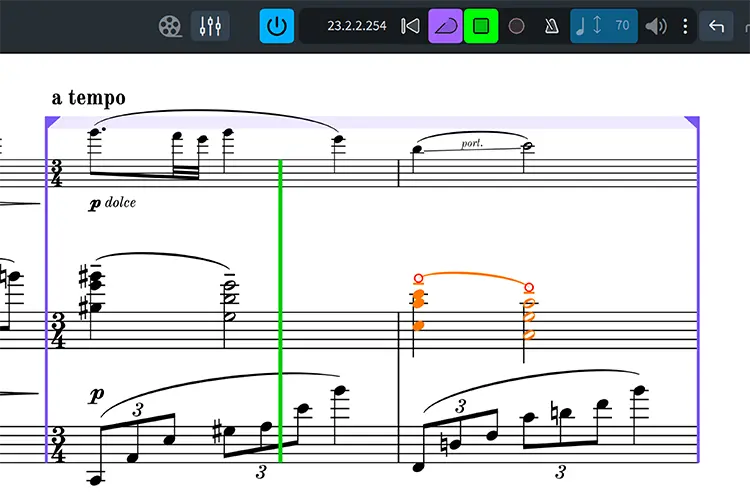
- - Cycle Playback: Loop any section of your score during playback and hear your edits in the next cycle.
- - Fill View: Fill View makes the most efficient use of your available display, flexibly fitting as many systems of music as possible into the width and height of the window.
- - System-Attached Items: Total control over where tempos, rehearsal marks, repeats, and large time signatures appear.
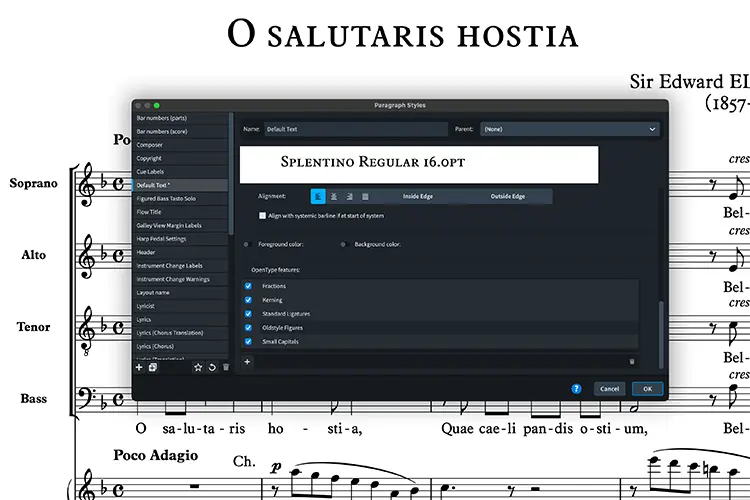
- - OpenType Features: Advanced typographic control with full support for OpenType glyph positioning and substitution features.
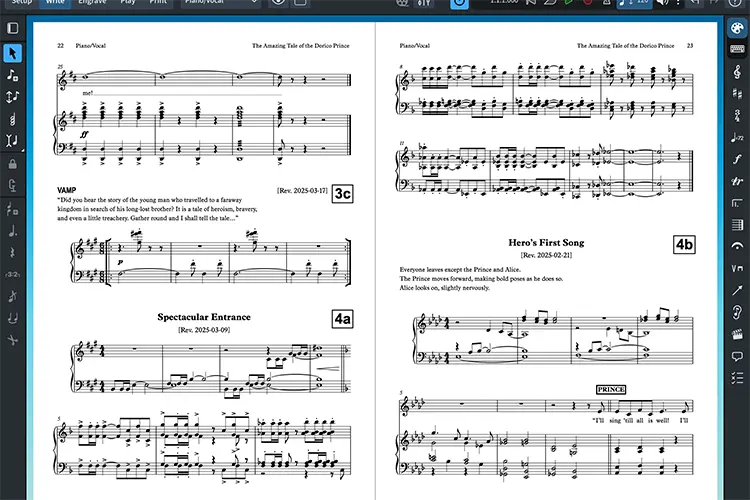
- - Flow Heading Overrides: Flow headings generate titles before each new song, movement, or piece in your project; now you can control exactly how they appear on every page of every layout.
 |
 |
- - Marching Percussion Basics: All the essential sounds for marching snare, cymbals, tenor, and bass drums, in partnership with Tapspace, makers of Virtual Drumline.
- - User Settings Import and Export: Easily transfer all your Dorico customizations from one computer to another using your user settings.
- - Condensing: All instruments held by players can now be condensed, not just the first, making it easier to handle doubling players.
- - More New Features: Further enhancements throughout the application, including improvements to MusicXML import and export, more flexible staff labels, easier editing of instrument names and front matter, interface refinements, and much more.