New automation, cloud, and software learning technology: rekordbox ver. 7.0.0
- Escrito por Redacción ISP Music & Producer
- Publicado en ENGLISH
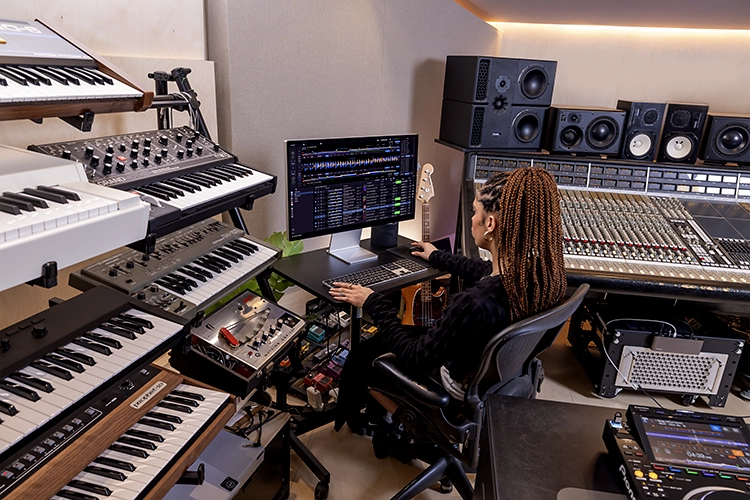
AlphaTheta Corporation announces the release of rekordbox for Mac/Windows (version 7.0.0), a comprehensive DJ software application that integrates everything from music management to live performance preparation.
This significant update to rekordbox, used by many DJs worldwide, including countless professionals, brings massive improvements to its performance and feature set.
New software learning, cloud, and automation technology has been added to drive a drastic evolution of the software, and processing loads have been enhanced. You'll notice that the time and effort required to search for and manage music have been significantly reduced, whether you're looking for tracks among the tens of millions available on multiple streaming services or in your own extensive collection.
To make things even easier, any track you add to your collection can now be automatically filtered by different categories, with cue points set automatically if desired, and you'll have the option to share playlists.
All of this, combined with the redesigned GUI, makes everything from music management to concert preparation easier and more intuitive, so you can focus on being creative.
Key features
The new platform and GUI design bring massive improvements in software performance
Greatly improved processing load: whatever you need to do in rekordbox ver. 7, do it stress-free. The updated platform has achieved up to a 56% reduction in CPU processing load compared to rekordbox ver. 6, so the software runs much smoother. Additionally, power consumption during startup has been reduced by 38% compared to rekordbox ver. 6, allowing your PC/Mac to run on battery for longer periods of time.
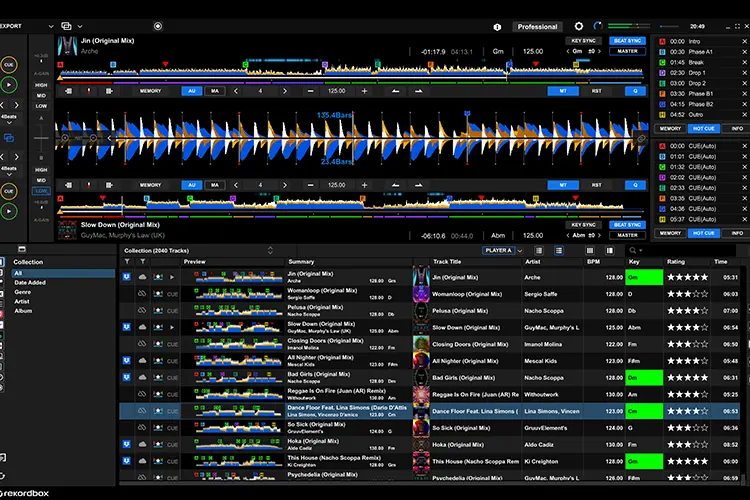
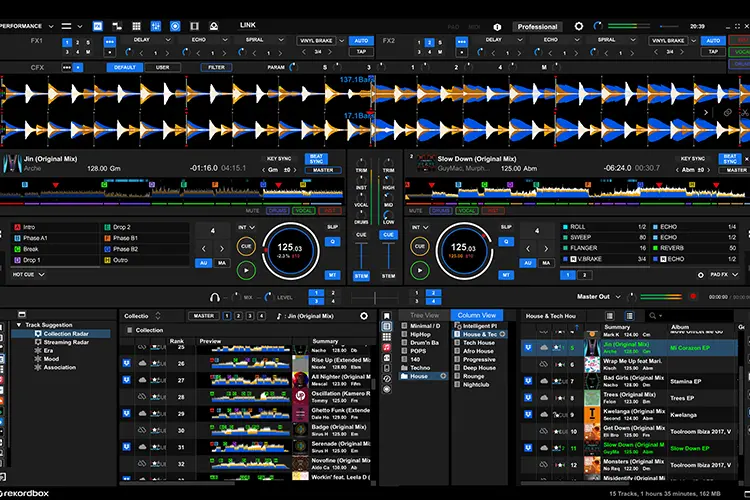
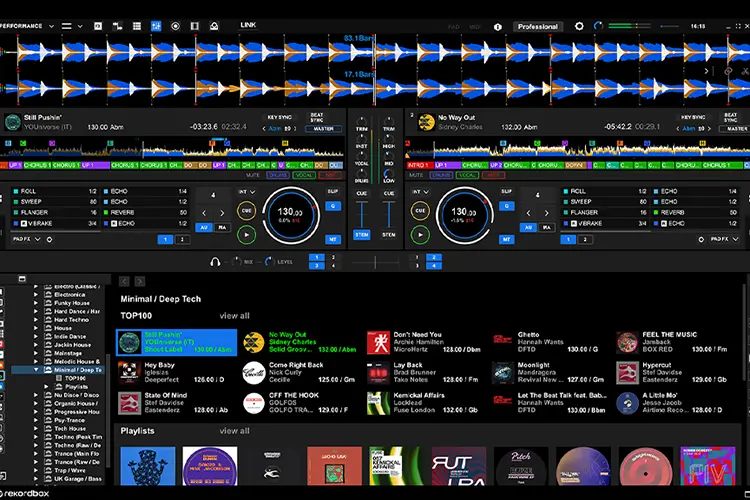
Updated, smoother GUI for comfortable music preparation: every aspect of the new GUI in rekordbox ver. 7 was carefully reviewed and created to help you prepare for gigs more efficiently through a comfortable workflow. Completely revamped, the design takes the best elements of rekordbox ver. 6 so you instantly understand the status of your system and brings various improvements. The key color has changed to blue to enhance unity feeling with AlphaTheta and Pioneer DJ hardware, and both Dark and Light modes offer better usability thanks to clearer control grouping and improved waveform visibility.
 |
 |
Efficiently find the music you want from a wide range of sources with the new navigation system
Media Explorer. Ever felt overwhelmed by the sheer amount of music you can find everywhere? rekordbox ver. 7 helps you quickly find the music you want to play. The Media Explorer, which has changed from a tree view to an icon view, gives you access to selected tracks in the shortest possible time while searching various sources for you.
New streaming service browsing experience: you can now display tracks from streaming services focusing on the artist image and album artwork for a more intuitive visual browsing experience. To find more music in the style you like, simply click on one of the links from an album or playlist, like the artist name or tag, to see a list of related songs.
Collection Filter: quickly find tracks from your collection, no matter how extensive, with the new Collection Filter. Filter songs by date, genre, artist, or album.
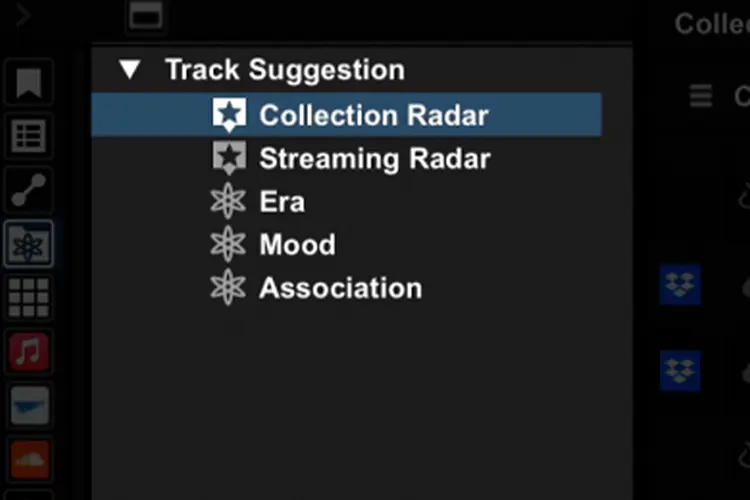
Two Radar functions using software learning technology: Collection Radar discovers tracks from your own collection, which could lead you to rediscover old favorites and songs from your past that you had completely forgotten about. So, if you're preparing to play at a particular type of venue or event, you can tell rekordbox which tracks and filters you want to match, and the software will find similar gems in your collection.
Streaming Radar explores new encounters with tracks from streaming services. It fetches results from tens of millions of songs and can even search tracks across multiple streaming services, helping you add undiscovered songs to your collection and find the tracks you need to make every playlist perfect.
A new era for DJ workflow: automation and software learning technology significantly reduces preparation time
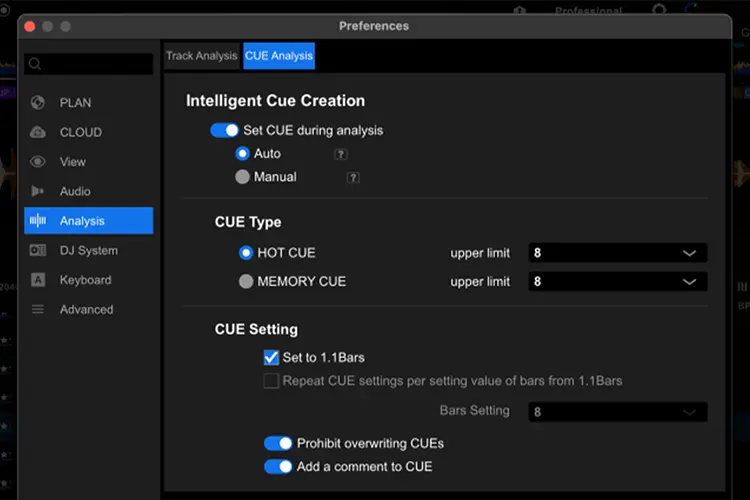
Intelligent Cue Creation: add a track to your rekordbox collection, and the software will automatically set up Hot Cues and Memory Cues as you like. Songs with Hot Cue and Memory Cue settings are logged in a playlist for learning. rekordbox version 7 software learning picks up trends, so usual cue point positions are automatically reflected in other songs, making early preparation much easier.
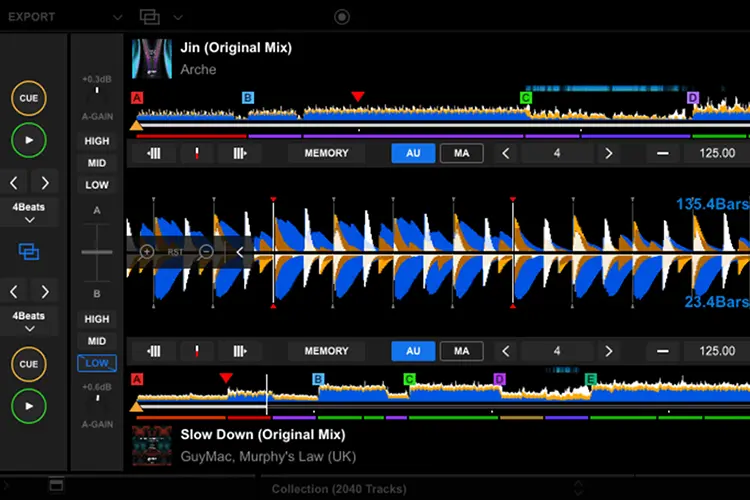
Dual Player design: quickly check track compatibility and find the best mixing points using the Dual Player design, now available in Export mode. 2 player operations are linked when Dual Player is activated via the dedicated button so you can go to play/pause, move through waveforms, and control Beat Jump for both tracks simultaneously. And with EQ Kill, Key Sync, and Key Shift control, there are even more ways to experiment with different tracks so you can make them sound perfect together.
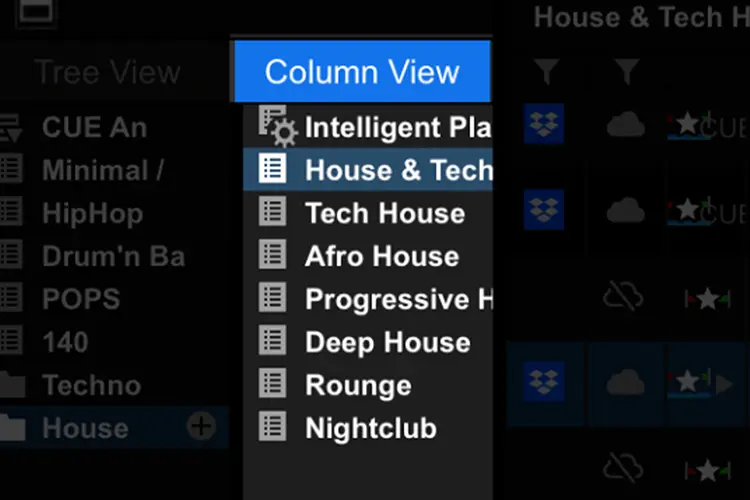
 Column View: if you've used column view in Mac Finder, you'll be familiar with the new column view in rekordbox ver. 7. This hierarchical structure lets you browse playlists and playlist folders while visually checking their hierarchy, offering an intuitive way to search folders and files, and select and navigate through multiple playlists and tracks.
Collaborative Playlist: share playlists with your friends and fellow DJs. Metadata like the order of songs in the list, BPM, grids, and cue points can be included, allowing you to share information for multiple purposes, including preparation for consecutive sets or consideration of song lists for festivals.
Owner Registration allows free control of selected new features in rekordbox ver. 7
The Dual Player design, Collection Filter, Column View, and other paid features added in this update are available for free when the selected DJ equipment for Owner Registration is registered to an AlphaTheta account via rekordbox ver. 7. Once registered as an owner, these features can be used even if the DJ equipment is not connected to a PC/Mac.