Every time I've used software for sequencing drums as a sampler-based virtual instrument, I've wondered why no one made tools like this one. There are two approaches when it comes to creating a multi-library. The first is to bring together hundreds of varied sounds that are far removed from real instruments, seeking new rhythmic sources and support tools for "futuristic" music. The second, as in the case at hand today, is to create a tool that lets you handle the virtual treatment of "real" acoustic drums in the best possible way.
There is a wide variety of products on the market designed for sequencing or, rather, for supplying our sequences with sampled sounds. Most of them come across as "toys," even when they offer good-quality samples and really do "trigger" sounds recorded in the studio.
There are many factors to consider when assessing the effectiveness of software like this, and in many cases I hadn't found that any of the ones I'd used before met all the requirements outstandingly.
Points to consider:
a) Sample quality. Obviously, it is essential that the sounds be well recorded, in the studio and with the right miking, and that the instruments used as sources be powerful.
b) Variety. Sometimes we come across a library or virtual instrument that does almost everything, but only has a couple of samples for each piece. It's important to have a good variety of sounds so we can use each one at the right moment, or really choose the ones we like best or that suit our piece.
 c) Multi-sampling / a variety of takes of each piece. This is something designers finally seem to be understanding as essential. If we have a take of, say, a snare that sounds killer but it's the only one, we lose any possibility of expression. Triggering a single sample at different volumes depending on velocity (how hard we press the "key") is a thing of the past. Continuing with the snare example (the same goes for every instrument and piece in a kit), it's obvious that we can get a thousand sounds out of it. It doesn't sound the same when struck softly, at medium strength or very hard. Nor is it the same if it's struck in the center of the head, near the edge, hitting the rim and the head at the same time, etc. So having a good collection of samples of the same snare in its different sounds, together with a good layout of them on our keyboard and well-edited velocity levels (that is, the programming of which sounds are triggered depending on how hard we press the key), is what determines a very important part of the library's realism and expressiveness.
d) Channel separation. In some cases we get the three previous points, but find that the whole kit (bass drum, snare, toms, hi-hat, etc.) comes out of a single channel on the virtual mixer. Obviously, to do a halfway decent mix, we need to be able to manipulate each piece of the kit individually, add effects separately (because putting the same reverb on the whole kit is pretty shoddy), adjust the volume of each piece to taste, etc. This can be fixed by creating separate tracks, one for the snare, another for cymbals, another for the bass drum, etc., but it's quite a pain to sequence each piece on its own channel, or to copy and paste while deleting every element of the programming except the one we want on each track. Another (messy and limited) way is to edit the volume of each note in the sequencer's own editor, but I don't think that's the definitive solution. We therefore conclude that each piece of the kit needs to sound through its own channel, as it should.
e) Flexibility and ease of locating and loading sounds. This is usually well handled in most of the latest-generation programs. Although in many cases the sounds are organized into "kits," or names for complete sets of drum sounds such as "rock," "jazz," "pop," etc., if we're doing something serious, it's most likely that not all the sounds of the "pop" kit (for example) will fit our song, and we'll surely want to pick our own bass drum, cymbals, snares, etc. So the ideal is to have that easy, organized access to each piece of the kit separately.
Although there are other factors, such as price, ease of installation, look and graphic design, manuals in Spanish, etc., let's focus on our review, analyzing each of the aspects mentioned, since the remaining ones are self-explanatory.
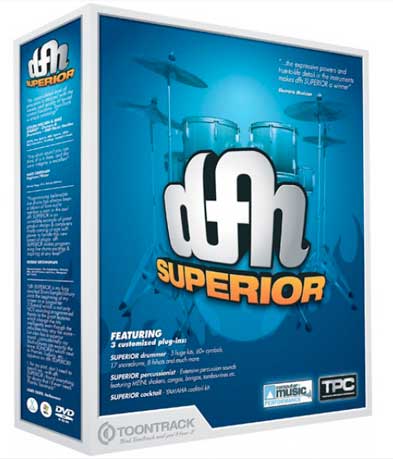
Installing DFH on the machine
When we open the package we feel two things at once: horror at the prospect of a heavy installation, since it contains "umpteen" double-sided DVDs, and great anticipation, knowing it's a powerful, or at least very extensive, library.
The first DVD installs the software, which is done very quickly and without problems. After that we find a stack of double-sided DVDs containing all the samples and libraries. We have to copy each of them to the selected directory. The process is slow but trouble-free. Just be sure to prepare your hard drive for a guest that needs quite a lot of space and only speaks English.
Up and running
We are looking at a somewhat crude design, but it's intuitive and easy to use. Our review consisted of testing the product as a virtual instrument hosted in CUBASE SX3.
Once installed, we can open DFH in three ways: Drummer, Percussionist or Cocktail. Operation is the same in all three cases; only the sound-loading options differ. Drummer is for drum kits, Percussionist for percussion instruments (including cajóns and Vu doo, as well as the ones you'd expect: congas, triangles, cymbals, etc.) and Cocktail offers a fusion of elements.
To get to know how the software works, we'll walk through the Drummer.
The first window asks for setup details such as the location of the libraries, the bank configuration for different types of MIDI instrument, etc. We click "next" and find the first pleasant surprise: it asks what type of sticks we'll be playing with, as well as the finish of the bass drum beater (wood, plastic, felt). Impressive, huh?
Configuring the kit and loading libraries
Once these elements have been set, a window opens in which we have amazing, powerful tools for configuring the sound of our kit. For one thing, we can select piece by piece. So we find a list (as you can see in the screenshot): bass drum, snare, rack toms, floor tom, hi-hat and plenty of slots for cymbals and effects. Now we load piece by piece. When we click on each one (bass drum, snare...), a drop-down menu appears with various options, letting us choose among Sonor, Tama, Premier, Ludwig, DW, wood snares, brass snares, in different sizes, etc.
The libraries load as we select each piece, showing how much memory each load is using, as well as the total memory required by the whole kit we are configuring.
Excellence in the sound test
Within a good variety of resources, we find impressive sounds. It's common to find sampled sounds with a reasonably realistic timbre that completely lack body or punch. In fact, it's very common that after spending hours programming, we find at the mix stage that the drums lack pressure, which can't be fixed with volume and only ends up so-so with EQ or dynamics tweaks. Well, these sounds rock. I tried a lot of the bass drum sounds (almost all of them), also changing the beater type. Impressive: what realism and what punch! Even my eyebrows got blown back when I hit the key hard. The same thing happened with the snares: expressive, with total tonal realism, with punch... It even reminded me of some good friends from the rehearsal room who used to deafen me with the crack of a full-force hit on their most prized snare.
Multi-samples
At first I was a bit thrown by the location of the notes on the master keyboard (although you can configure it, as I discovered later). If you use DFH Superior's standard configuration, you'll need a fairly complete keyboard (in terms of octaves) or to adjust its octaves by transposing, since the snares, for example, appear to the left of the bass drum (C, in standard mode, on the keyboard). Once I'd located the pieces, I was "blown away" for quite a while as I discovered the product's great possibilities. The layout is good, since you have two adjacent keys holding the sounds for each piece (very useful for sequencing snares and toms, for example). In addition, when you load a snare (to take one case), you don't get one measly little key; you have plenty of notes that trigger different sounds from the selected snare. The same goes for the rest of the pieces. To give another example, let's dig into the hi-hat. It's common to find three (insufficient) keys that trigger a foot-operated hi-hat, a closed hi-hat played with a stick and an open hi-hat played with a stick. As you'll know, the hi-hat is an element (together with the snare) responsible for total expressiveness in rhythmic passages. So having three measly sounds doesn't provide any realism at all. With DFH Superior we find (in addition to the option of choosing different hi-hats: Sabian, Zildjian, etc.) a host of notes (keys) that trigger a powerful variety of samples, going from "foot, closed, open" to much broader options: from very tight hi-hat sounds played on the bell to completely open, "wild" hi-hats, and a good range of the different pressures you can apply with the foot to keep the cymbals closed, half-closed, open, etc.
And that's not all. As you'd expect from a good library, each key triggers different sounds depending on the velocity (intensity) with which we press it. It's incredibly realistic, especially on the snare, which opens up completely faithfully as you press harder. You can even feel the tension of the head when it's hit hard; it's impressive. With these details, you get a much more realistic and expressive rhythm sequence, since you have more elements for conveying "messages."
Selecting mics
As if that weren't enough, we still have the miking of our kit. As you know, to record drums in the studio we have to set up the appropriate microphones on the kit: mics on the snare, hi-hat, toms, bass drum, room, etc.
Most programs give us a "dry" take from the mic corresponding to the piece; that is, the sample we hear is the recording of the piece (the snare, for example) captured by its corresponding mic. Well, DFH Superior lets you open more mics as needed. Next to our selection (for example, a specific Tama snare) we have a series of buttons that open or close the rest of the kit's mics. So, as you experiment, you realize the wealth of detail these options give you. For example, to give you an idea, if you listen to the bass drum "hit" with only its own mic, you get a dry, "very studio" sound. On the other hand, if you now add to that take what is picked up by, say, the rack and floor tom mics, you'll hear the sum of the "dry" sound mentioned above plus the realistic, true-to-life effect of the vibrations the bass drum hit has caused in the tom heads. Even more so if you open the room mic. It's really amazing, and the wealth of detail is outstanding.
Adjusting sample triggering
Once we've selected the pieces of the kit and organized our miking, we click next and can adjust the performance characteristics, including key sensitivity and how sounds are organized according to how hard we press each key. Here you'll also find other adjustable parameters, such as master volume, etc.
In the mix
I expected nothing less: you open your mixer and every piece of the kit is just as it should be, that is, on its own channel. This way you can indulge in the luxury of fine-tuning effects, volume and EQ step by step, piece by piece, as your production demands.
Conclusions
This is a tool in which enormous attention has clearly been paid to realism. It shows a professional approach to creating acoustic drums and percussion through sequencing. In a home studio, it's quite difficult to fit a drum kit and, what's worse, to mic it well. I'd venture to say that with this software you can get better results than with a real kit (I'm talking, of course, about limited recording resources), since it will be almost impossible for you to capture the sounds with such purity and fidelity, and you'd also need a lot, and I mean a lot, of euros to own all the pieces (instruments) that DFH includes. At a price that isn't excessively high, Toontrack gives us a truly powerful tool for achieving spotless quality in our drums and percussion. The least fun part is the number of hours you'll have to invest in programming the drums well, since with so many resources at hand, it would be a great waste not to take the trouble to really "work at it." I'll leave the loops and using the software via other sequencers for each of you to explore according to your needs. My impression is certainly outstanding.