 In the last issue, we presented a preview of various music software developments, including products from Steinberg and Native Instruments. The truth is that these kinds of tools are, on the one hand, simple enough that we don't have to "rack our brains" when using them, while at the same time their menus and windows require a reasonably in-depth look to get to know them.
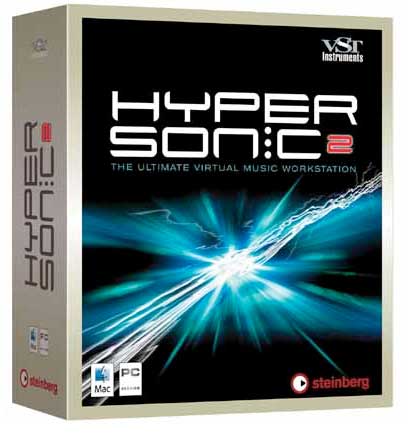
Well, since the previous issue only outlined the basic features of each of the "packages" presented, today we take a somewhat closer look at Steinberg's "Hypersonic."
About Steinberg
There is little to add that you don't all already know. A well-known manufacturer thanks to its constant development of music software, and one of the undisputed leaders in the industry thanks to "gems" such as Nuendo, Cubase, HALion, etc...
In what we might consider my personal opinion, Steinberg's software is characterized, for me, among other things by:
a) Constant research and evolution
b) Its pleasant and intuitive look, close to "physical" products, which ultimately makes them easy to use
c) Its quality
d) Its affinity with musicians and its specialization in developments for the industry.
About VST instruments
We have already talked about the revolution brought about by developments in computing. The possibilities that technology (through software and hardware) offers us allow us to expand our tools to professional levels at a much lower cost than in the past with "physical machines."
As always, we have to stand up for the positive side of "real/physical" devices, since they are more independent, don't use up our computer's resources, and at the high end they tend to be more specialized and effective. Even so, we are at a point where the balance between real and virtual is fairly even (there's something for every taste), and considering prices versus possibilities, serious doubts start to arise as to which is best.
It is undeniable that for many consumers, physical gear (hard disk recorders, desks, preamps, amplifiers, effects racks, samplers, modules, drum machines, etc...) is beyond their budget. Virtual gear, on the other hand, despite involving "technical sacrifices" in some cases, is within reach and delivers excellent results.
Following on from these comments, the architecture of programs such as CUBASE or NUENDO (among others) allows "VST INSTRUMENTS" to be inserted: virtual instruments that are inserted into a virtual rack and infinitely expand production and performance possibilities.
Another of the big changes brought about by VST instruments was the development of working with samples, largely replacing everyday MIDI. What was the problem with samplers in the past? If we are talking about hardware samplers, the price. If we are talking about virtual ones, the amount of resources audio used up on our processor. The fact that processors are more powerful every day, come equipped with more RAM and at increasingly affordable prices (except for the very latest generation) means VST instruments work wonderfully, without hangs or delays, offering all their power and quality.
How do you add it to Nuendo or Cubase?
After installing the software, it is as simple as opening the "VST Instruments" window and inserting our new virtual instrument. From this same rack, we can access the editing and manipulation options it offers.
On the track, we select our MIDI input (the keyboard or master instrument that will send information to the sequencer via the corresponding MIDI In device) and assign the output (MIDI out) to our virtual instrument, in this case Hypersonic.
What is Hypersonic and what is it for?
This virtual instrument offers us a wide repertoire of libraries and truly powerful sounds. The most interesting thing is that it is designed so that we can access the libraries quickly, usefully and in a visually organized way.
So, once we click on the "edit" button in the VST Instruments rack, next to Hypersonic, its main window opens. In it, we find 16 slots for loading libraries and viewing them all at once, each with its corresponding volume "fader."
On the right side of the screen we have all the libraries organized by "headings," such as "Natural Drums," "Natural Percussion," "Contemporary Kits," "Acoustic Basses," "Electric Basses," "Electric Guitars," "Strings," "Brass," etc... a complete list of categories, each containing the libraries corresponding to its title. I can vouch that the sounds are, in many cases, powerful, rich, fat, compact, thick, bright, full, etc... You can tell that the people who developed the software have sought real solutions to musicians' needs. For example:
Working with Loops
Among the abundant libraries, versatile and useful for almost any kind of work, we find loops in a variety of styles. The most interesting part of these sections is the division of the keyboard into keys that trigger loops and keys that trigger the isolated samples. That is, if for example we trigger a drum loop with a specific kit (obviously), we have the kick, snare and effects used in the loop. This lets us program custom bars and intersperse them in the sequences without any variation in the sound.
Likewise, the keyboard splits let us create suitable atmospheres for each loop, adding our own playing. This means the loops are not sealed off and give us a certain "freedom" of performance, with the richness and the programming time saved by certain perfectly preprogrammed bars.
Creating kits and the functions of the "control knobs"
This is another of Hypersonic's most effective advantages. When we have a "combi" (a type of load I will talk about a little further down), we can customize the sounds. Let me explain. The window is divided into 5 blocks:
1. Slots for loading libraries. Top left.
2. Slots for viewing available libraries. Top right.
3. Editing. Far top left (MIDI, edit, effects, etc...)
4. Sound control knobs, whose functions vary depending on the library loaded. Center left.
5. Virtual keyboard. Bottom.
Having described the screen layout, I'll return to point four. These knobs have variable assignments to control different things depending on the library we load. Obviously, we don't need to control the same things on a string section as on a snare drum; in other words, each type of sound requires different adjustments to find exactly what we want. Hypersonic handles this well, automatically assigning the ideal function to each "knob" as we load one library or another.
To give an example, talking about drum kits: there is a load combi (combined program load) that stores drum sounds. To make customizing the kit we are going to use as flexible as possible, our keyboard has one key assigned to the kick, another to the snare, closed hi-hat, open hi-hat and so on. Now add the effectiveness of the controls. It is very common, with a loaded drum kit, to like a snare and the sound of a closed hi-hat, but find the kick (for example) too heavy, too boomy, etc... It is hard to load a kit where every piece fits perfectly with what we are looking for.
Well, in Hypersonic, once this combi is loaded, the knobs take on the function of scrolling through all the sounds available for each key. That is, if the lowest "C" on our keyboard triggers the kick, we turn the wheel (knob) and go through the possible kicks we can assign. This same process is repeated for the hi-hat, snare, toms, etc...
In the end, we will get a kit that is as close as possible to our needs and preferences for each song.
I could describe more features, but I imagine you are already getting an idea of how capable and convenient it is for customizing and loading libraries.
Combis
Another interesting feature Hypersonic offers is combi loading. If you have worked with keyboards, you will be familiar with the use of the "combi." It involves assigning different sounds to the same keystroke. We can trigger several libraries simultaneously with the same chord on the keyboard. Since each load slot (top left) has its own volume "fader," we can mix the combi exactly to our taste, and quickly.
For example, we want to trigger a string sound, and instead of selecting an individual preset, we decide to load 4 different string sounds. Using the volume (and effects control) of each channel, we fine-tune exactly the string combination we need, emphasizing the attack of the first, the sustain of the second or... I'll leave the rest to your imagination.
And taking advantage of the combi tool, Hypersonic offers a series of presets for this section that start the instrument with certain standard configurations. For example, "Pop 60" would assign each channel a typical sound for each instrument associated with that style: bass, drums, keyboard, etc.... Then we assign each channel to a track and in seconds we have the sequencer ready to record a sequence that sounds like the '60s. Of course, this is just a simple example, and the variety of presets on offer is large.
Special effects
Other Hypersonic banks are packed with special effects, which, in my case, had me laughing for quite a while: everything from car sounds, water, rain, applause from a small audience, applause from a large audience, laughter from a small audience, laughter from a large audience and much more...
More possibilities
The far right part of the screen lets us switch the top right module of the window from LOAD to MIDI (MIDI control), Effects Mix, Effects and Setup.
Conclusions and rating
A versatile, complete, well-organized and convenient tool. It is certainly perfect for organizing sounds, while considerably expanding your libraries. Most of the sounds are powerful, and it can easily be used in professional settings, with the advantage of being extremely easy to use for those who want to get started.