Pigments 6 masters all forms of sound synthesis
- Escrito por Redacción ISP Music & Producer
- Publicado en ENGLISH
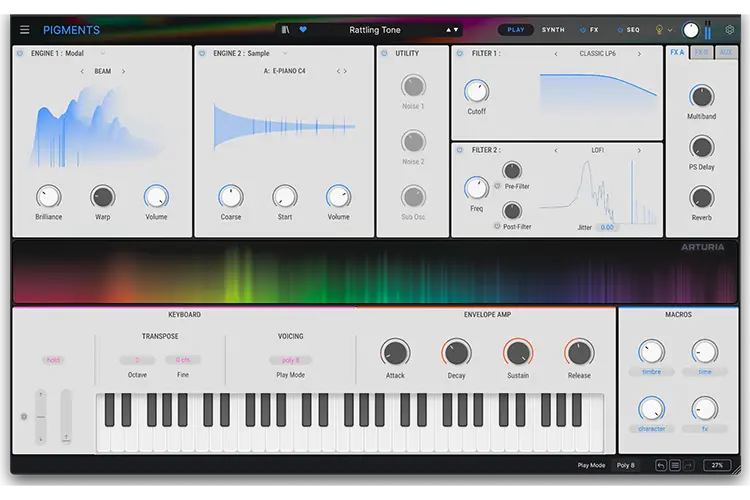
Pigments offers 6 types of synthesis, a deep modulation system, high quality effects and a generative arpeggiator-sequencer, all in an clear and intuitive interface.
Explore the next chapter in Pigments’ evolution, where a powerful new Modal engine meets enhanced filters, modulators, and creative tools for unprecedented sound design freedom.
New Modal Engine
Experience physically-inspired tones using collisions or friction, from delicate plucked strings to richly resonant pads. A bold new dimension in hybrid synthesis.
New Filters
Broaden your palette with an analog-infused Multimode V2, the stacked Cluster filter for swirling textures, and LoFi for crunchy, lo-fi style coloration.
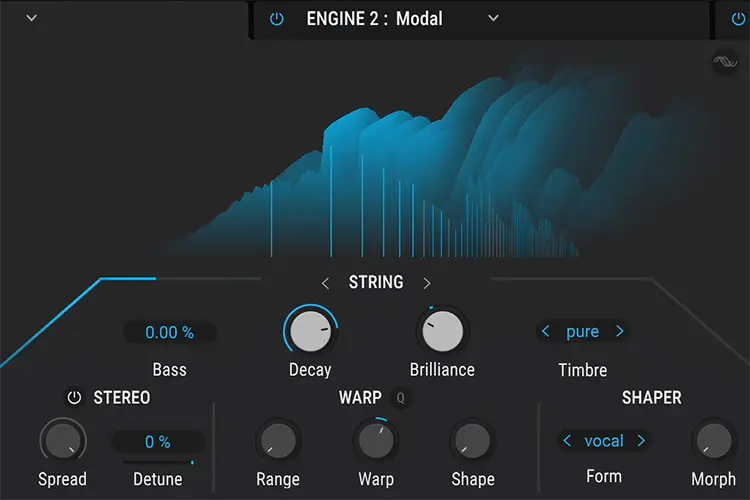 |
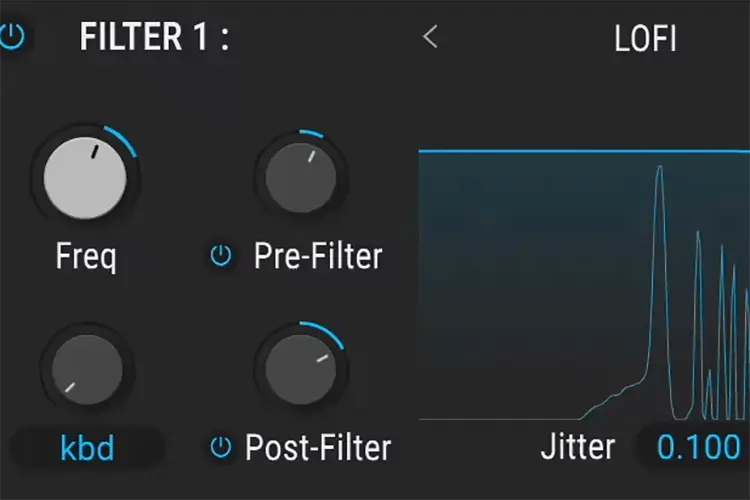 |
New Vocoder Effect
Inject everything from classic vocal textures to avant-garde color-bass sound design into your patches, blending external input or Pigments’ engines with seamless versatility.
New Modulators
Elevate expression by assigning differentmodulation values per voice, adding deeper randomness, triggering audio-driven envelope followers, and sculpting curves with the revamped Function V2.
Granular Improvements
Scan through samples mid-playback for time-stretching atmospheres, randomize grain playback for each note, and continuously adjust grain size for fluid, evolving textures.
UX & UI Enhancements
Refine modulations with Quick Edit V2’s drag-and-drop workflow, explore an improved file browser, and enjoy a refreshed layout—including a polished light theme—for effortless creativity.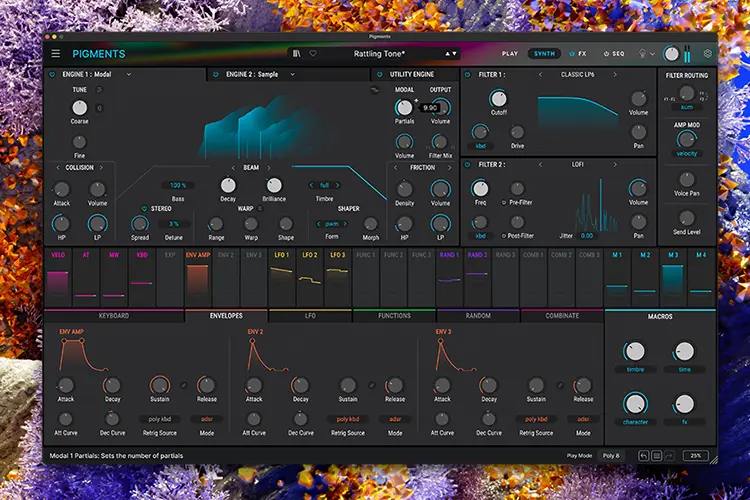
Cool Things to have fun with
Create soft plucked string sound
Select the string resonator mode, use the collision exciter only. Lower the brilliance knob to have a natural sounding decay.
Create a chimes layer for a pad
Use the friction excister with a very slow rate, or Use the granular exciter with a low rate and add random to the rate. This will add a subtle layer of chimes to your sound.
Create metallic timbre while maintaining a solid sense of pitch
Create dissonant tones with Warp and Shape knobs. Then increase the Range knob to protect the first harmonics from the wrapping and preserve the base pitch of the sound.
Use the modal resonator like a regular oscillator
Turn Decay and Brilliance all the way up to make the resonance infinite, and use the collision exciter, which excite all frequencies by the same amount. With this basis you can tailor the oscillator with the Warp, Shaper and Timbre parameters, and use the filters and Amp enveloppe like if it was a regular oscillator.
Use Warp quantize to modulate the pitch of the partials while staying in tune
Turn on Warp Quantize (the little Q to the right of Warp). Then modulate the Warp and Shape knobs with lfos or random modulators.
Formant filter with the Cluster filter
Select the LP+HP 24 mode with the cluster filter. Set a high resonance and a cutoff of 700Hz. Modulate the spread between 0 and 0.5, and play a rich signal like a Saw wave. Bonus: Add a bitcrusher in the FX to increase the vowel effect.
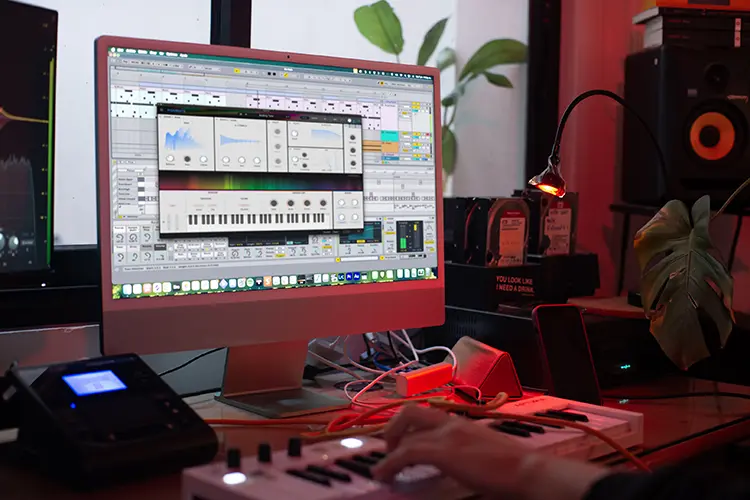
Aliased Keys with the LOFI filter, to emulate the effect of old samples played across the keyboard
Select a source with few harmonics, like a sine, a triangle or a e-piano sample. Turn up the Keytracking to maximum. Enable pre-filter. Turn down the Freq knob until you have the right amount of aliasing.
Resonant filter without losing bass
Select Classic filter LP, in Analog mode. Modulate the filter cutoff by an envelope. Play a bassline with a simple Saw wave, and increase resonance. For more grit, increase the output volume of the oscillator.
Talking Synth
Make Pigments talk using the external Audio Input with your voice. Experiment with Daft Punk like signature sounds and go beyond using Pigments capabilities.
Color Bass Sound Design
Set the vocoder modulator to any point in your signal chain or to FX input to self vocode your signal to discover a new sonic territory. Mess around with the Mode, Bandwidth and Band Numbers to go from a very modern resonant spectral sounding vocoder to a cheap dirty one.
Water Drop Effect
The Gate parameter allows to trigger individual band only when the amplitude of the band is greater than the threshold value. Find the sweet spot for your input sound and play with the Decay parameter to create droplet effects.
Voice Modulator
Create organic variations in the spirit of analog synths with the Voice Modulator, creating differences on the modulated parameters between each note played.
Envelope follower
Use the sound anywhere in Pigments audio chain and use its amplitude to create movements to any parameter to create organic behaviours.