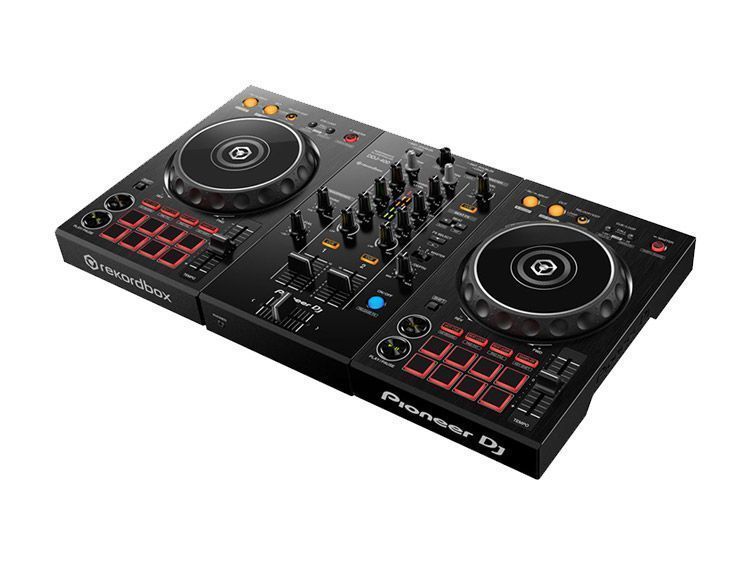
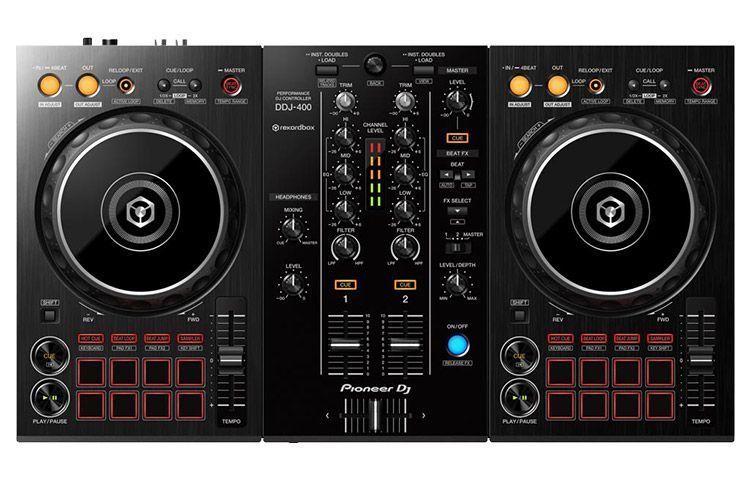
 Pioneer DJ has created the perfect controller for learning to DJ at home and seeing how far you can go. Built for exclusive use with its professional application, rekordbox dj (a free license key is included), the 2-channel DDJ-400 is designed to make the most of the new features in the recent version 5.3 of the rekordboxTM software.
The DDJ-400 is the ideal piece of kit for beginner DJs. Its controls let you easily learn the basics and develop your skills thanks to all the features included in this new version. The controller is compatible with rekordbox dj's new Tutorial function, which explains the basic operation of the equipment step by step. You can learn even if you've never stood behind a DJ booth.
Thanks to its light weight and portable design, you can take the DDJ-400 to your friends' houses to practice together, or take it to parties and small venues to DJ. And if you want to take your mixing to the next level, you'll feel right at home in a club DJ booth because the DDJ-400 incorporates details from our professional range. The design of the Play/Pause and Cue buttons, Beat FX, CDJ-style Loop controls and more are inherited from our NXS2 setup.
The DDJ-400 will be available from the end of June with a suggested retail price of €279, including VAT. Watch the introduction video or find out more about the controller. It includes a license key for rekordbox dj worth €139, so you can connect it straight to your PC or Mac and start mixing. If you already have rekordbox dj installed, update it to the latest version to use the controller.
Features
Club Layout. The DDJ-400's buttons are laid out in the same way as those on our standard professional setup, the CDJ-2000NXS2 and DJM-900NXS2.
Player Section. Get familiar with the jog wheels, Play/Pause and Cue buttons, Pitch sliders, Loop section and Cue/Loop buttons laid out just as they are on the CDJ-2000NXS2.
Mixer Section. Use the Trim and EQ knobs and the headphone cue buttons in exactly the same
way as on the DJM-900NXS2.
Other features
Use the Trim and EQ knobs and the headphone cue buttons in exactly the same
way as on the DJM-900NXS2.
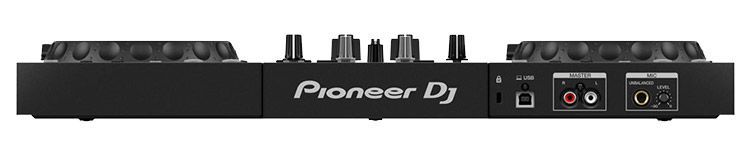
Built-in sound card (Audio Interface) – Plug & Play system. Just connect the controller to your PC / Mac using a single USB cable.
Mic input circuit – clear audio with no noise, even at high input levels. - USB bus power – no need to plug it into the mains.
Handles on both sides – easy to carry.
Class-compliant controller – no need to install a driver.
rekordbox version 5.3
Tutorial Function – Learn to DJ. Follow the Tutorial instructions on your PC/Mac screen. Even if you have no previous experience, you can learn to DJ. The Tutorial function is also compatible with the DDJ-RB as of June 26, 2018.
Track Suggestion – displays tracks that match the one currently playing 1
Track Suggestion. This function ranks all the tracks in your rekordbox library according to how well they match the one currently playing, helping you choose tracks that fit well in your set. The track shown at the top of the list is the most relevant one to play next. Scroll quickly through your music and make the most of your collection.
- Era: tracks released in the last year.
- Mood: tracks with a similar mood.
- Association: tracks that share traits such as artist, label, etc.
Easy sharing of mixes on social media with track titles and timestamps. Use rekordbox to record your sets and share them with the world through social networks such as Mixcloud, YouTube and KUVO. When you upload your mix, all track titles and timestamps are added automatically from rekordbox, so listeners can see the title of each track while they enjoy your set.