For years, splitting a mix into its instruments meant leaving the DAW: export, open another app or upload to a web service, wait, then import again. With Pro Tools 2026.11, Avid brings that job inside Pro Tools itself and, along the way, changes how the DAW opens up to third-party developers.
Stem Separator: six stems without leaving the session
The headline feature is Pro Tools Stem Separator. From a mixed file it generates up to six sources: vocals, drums, bass, guitar, keys and a sixth stem for everything else. The workflow is simple: drag audio into the panel, audition the results and send the stems you want back to the timeline or write them to new tracks.
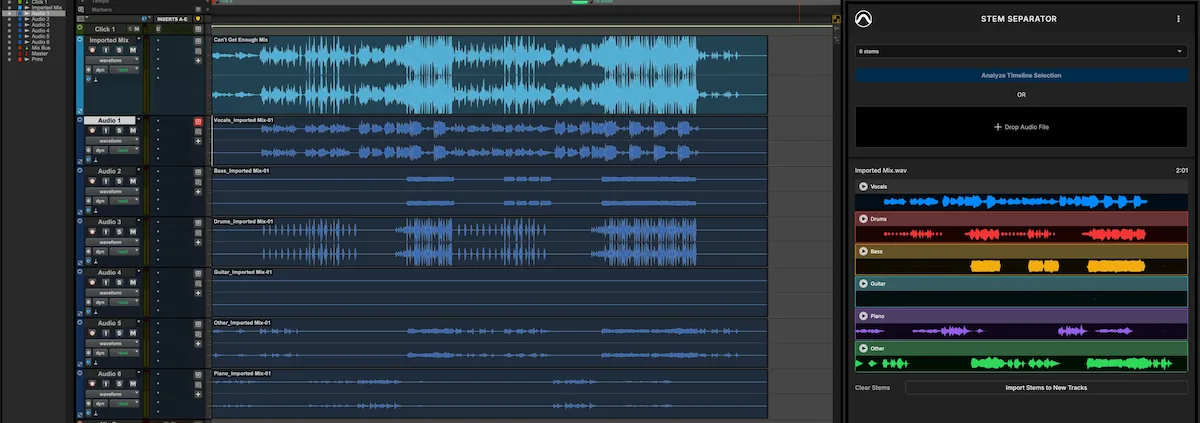
The key technical point is that all analysis runs locally, on your own computer, with no internet connection. For studios handling unreleased material, client masters or recordings under contract, not having to send audio to an outside server is not a detail: it is what makes the tool usable on professional projects. Avid also states that the content is not used to train models.
What is it good for day to day? Isolating a vocal for a remix, pulling out a bass line to transcribe or study, building rehearsal tracks with one instrument removed, reviving old songs whose multitracks are long gone, or cleaning up a live show recorded to two tracks. As with any AI separator, results will depend heavily on the source: dense mixes or tracks with a lot of shared reverb always leave some bleed between stems. The upside is that you can check it in seconds without leaving the session.
Extensions: plugins that work across the whole session
Stem Separator is really the first example of something bigger: Pro Tools Extensions, a plugin format separate from traditional AAX. An AAX plugin lives on a track insert; an Extension can act on several tracks or the entire session, and can even be available with no session open. Extensions get their own menu and live in tabs on a redesigned side panel.
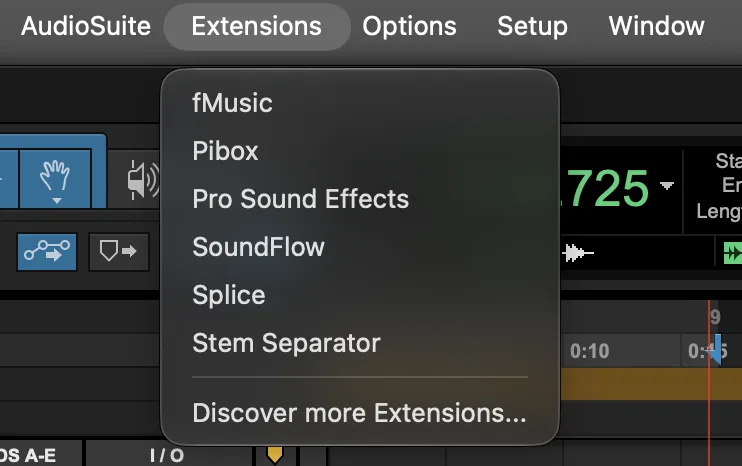
Splice and SoundFlow, integrated since 2025, now run inside this framework, joined by the first third-party Extensions: Pro Sound Effects and Soundly for finding and placing sound effects, Pibox for linking review comments to session positions, and Forte fMusic for preparing, organizing and delivering sessions, including batch stem export. It is a logical move: prep, organization and delivery eat up a lot of hours, and opening that side of the work to outside developers may prove more useful than yet another EQ plugin.
MPE and high-resolution Windows displays
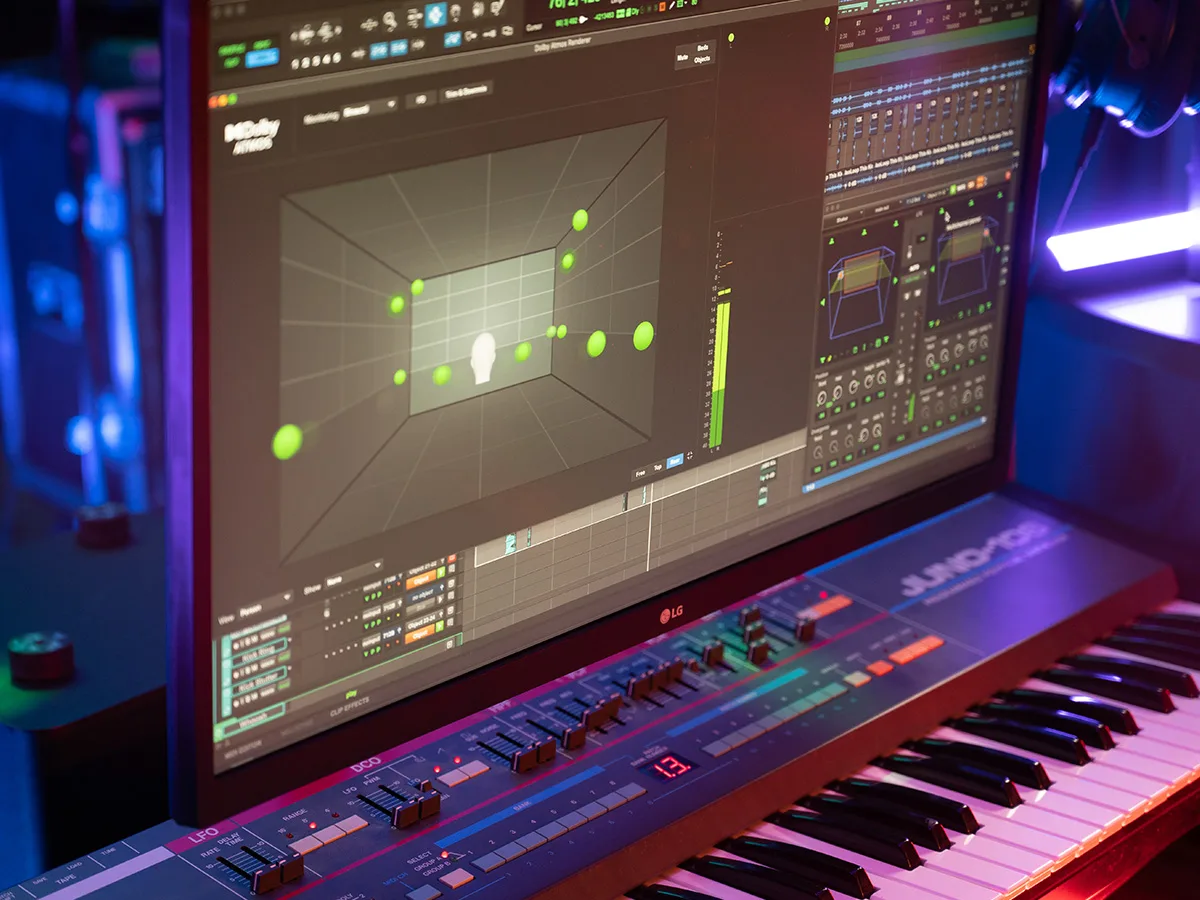
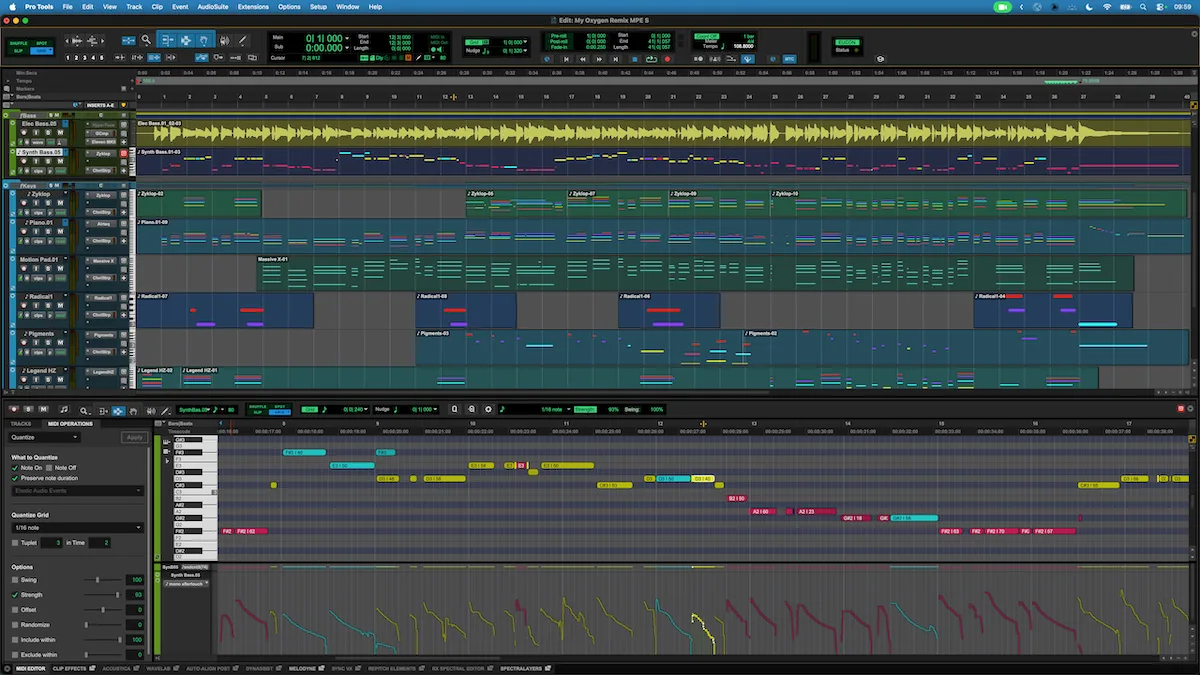
Keyboard players using expressive controllers finally get MIDI Polyphonic Expression (MPE) support: every note in a chord can carry its own pitch bend, pressure or timbre. Pro Tools records, plays back, edits and automates this data with dedicated expression lanes in the Edit window and MIDI Editor, and color-codes notes and automation by MIDI channel, which is essential for keeping track of it all.
On Windows, native high-DPI scaling arrives, adjusting as windows move between monitors with different scaling, along with dark-theme menus and dialogs. Avid plugins are already updated, and a new scaling control in the plugin header helps with third-party plugins that lack their own resize option. Auto-coloring of alternate takes during recording and comping rounds out the list.
Availability
Pro Tools 2026.11 is available through Avid Link for subscribers and perpetual-license customers with an active upgrade plan. Extensions, Stem Separator and MPE are included in every tier: Intro, Artist, Studio and Ultimate.
More information: www.avid.com/pro-tools