
We can separate MIDI messages into two categories: channel and system. The second type (system) sends a message to all the devices, and each element of the system will respond to it when appropriate. Channel messages, by contrast, carry an associated channel number, from 0 to 15 (or 1 to 16).
The modes
Omni On/Poly: In this mode the units ignore channels, and there is no limit to the number of notes that can be triggered simultaneously (polyphonic).
Omni On/Mono: Obviously, this mode is identical to the previous one in that there is no channel consideration, with the difference (mono) that it allows only one note to be played at a time, since it is a monophonic mode.
Omni Off/Poly: Omni Off mode forces our gear to recognize channel messages; therefore, the units will work under both the message and channel systems. Logically, the “Poly” designation refers to the ability to play polyphonically.
Omni Off/Mono: Exactly the same as the previous one but with a monophonic limitation.
Multi Mode: In this mode we divide our instrument into 16 polyphonic channels. It is usually used in computer-based sequencing work. We assign a sound to each MIDI channel or track and can work with each one independently.
Program changes
“Program” is the term usually used to refer to the sounds on our synth or module. In other words, when we change program we switch between the different sounds in the MIDI unit: Piano 1, Piano 2, Slowstring, and so on.
Velocity: how hard the keys are pressed
Without going into the math or the electronic engineering advances that let us control this type of message, let’s describe the importance of velocity. Not long ago, having a keyboard that sent velocity codes was almost a luxury. Today nearly every synth on the market includes this message. Velocity, measured on a scale from 0 to 127, controls the volume of the performance. Put another way, the harder we press the key, the louder it sounds (closer to 127), and conversely, the softer our touch, the softer the note will be (closer to a value of 0).
Velocity control gives us expression and richness in our playing. If we are working in a polyphonic mode (which is practically essential by now), a “velocity” value is assigned to each key pressed. Though normally, when we press a chord, we produce the same pressure and, therefore, the same volume across it.
Note on
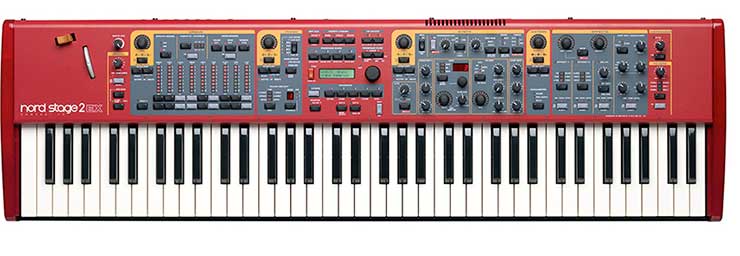
As you might expect, there is a MIDI message that controls the note we play. Thus, middle C is assigned the value 60. With this message we tell the machine which notes we are pressing, and we can even shift octaves or play in one octave and have a higher or lower one sound.
Pitch
You all know that wheel that is usually built into our keyboard. Well, the note message gives only semitone resolution. With pitch messages we increase that resolution considerably, sending decimals and dividing the note into many more parts. So we can use pitch to emulate a guitar string bend, a glissando or other effects we invent on the fly. Now let’s move on to system messages.
Song position
As you may suppose, the “song position” system message refers to the exact location within a sequence (sequence = song). With this type of message we can, for example, place two sequencers at the very same song position (as a form of sync).
Song select
As the name indicates, we can select the number of the song we are going to play or trigger. It can be useful when we have a large repertoire sequenced and want to prepare a selection. The “song select” message will jump from one song to another according to how we programmed it beforehand.
Clock
The timecode: the clock determines the fractions of time. To sync sequencers with each other, sequencers with drum machines, and so on, it is essential to have this type of message in our MIDI systems. Along with the clock signal, our machines will receive start, continue and stop messages.
System reset
This message returns the instrument to its initial configuration. It can be useful when we modify our instrument at some point in the sequence and then need it to go back to its original state.
Controlling MIDI messages from our computer
Since affordable versions of programs like Cubase, Logic, Pro Tools and others appeared, we can control from our computer a multitude (if not all) of the MIDI messages that will affect our song.
So, quickly and comfortably, from our computer screen, practically every message. We can change the program number and filter certain messages (velocity, pitch, etc.)
Computer-based sequencers are designed to handle all these types of messages smoothly. In fact, on many occasions, if we don’t stop to think about it, we won’t find the connection between a function in our program (as simple as clicking a virtual button) and the MIDI messages it triggers.
For example, when we work on a track, say the bass, we can, from our monitor:
- Change its program number: acoustic bass, slap, fretless, etc. Change its octave. Edit its velocity parameters, limiting the maximum or minimum to a given value or in many other ways. Change and edit the pitch values. Change or add effects, reverb, chorus, frequency cutoff... Tweak the sound (via MIDI), as if we were using dynamics processors.
Suppose, for example, that instead of a bass we were working on a string track. We use that typical string sound we love, but which has a slow attack. This means the strings always come in late, and when we try to quantize, despite perfect quantization, the string track will still sound behind.
We can then use the “Delay” parameter to control the instrument’s attack. That is, if we use a value of 0, the track will play back exactly as we performed it; if we use negative values, e.g. “-40,” the strings gain attack and the lag is corrected, since they will start sounding earlier than expected. If, on the other hand, we want the instrument to wait a few milliseconds before coming in on a bar, we can use positive values for the “Delay” parameter, e.g. “+40,” so that the instrument holds back before it starts to sound.
Finally and definitively, controlling all the parameters through programs like Logic (to name just one) is infinitely more comfortable than handling them through a tiny liquid-crystal screen on our module or keyboard.
I suppose that once we are working with our computer-based sequencers, it may make no difference to us whether the message our device receives is “value + 40” or any other. Still, it seems wise to have at least a slight idea of what is really going on between our machines, why they understand each other, and what kinds of messages make them control each of the actions to be carried out.
Tying MIDI into our studio
Lastly, and although we have already covered the subject in earlier chapters, I want to insist on the great versatility and power that the MIDI “world” gives us. Personally, I think we should combine all resources in our home studio. So a basic setup that lets us work with a certain level of quality could consist of:
a) Our computer (a current-generation one).
b) A master keyboard, to play our MIDI sounds and sampler.
c) A powerful (MIDI) sound module.
d) A sampler.
e) A sound card capable of recording at least 8 audio tracks.
f) Our amplifier and monitors.
g) A good condenser mic.
h) A guitarist friend who comes by to record every now and then.
i) A good computer program (Logic, Cubase, Pro Tools, Cakewalk or similar).
As you all know, MIDI technology has advanced by leaps and bounds, and today it is more than common to find instruments in this “religion” that can perfectly emulate acoustic and conventional instruments.
The development of MIDI drums and guitars with MIDI converters (etc.) is flooding recording studios and, although most musicians still distrust their quality, every day it is more practical to replace some acoustic elements with MIDI, saving us the mics and a series of other inconveniences. Although the real thing and analog vintage gear are irreplaceable. You decide.
All in all, I think the need to incorporate acoustic elements into our recordings is beyond doubt; however, many tasks can now be carried out via MIDI, and, in conclusion, it is the mix of all the elements that provides speed and quality and makes our home studio something quite similar to the big studios where the great stars of show business immortalize their art.